sort()
The sort() function will sort a vector (or a single column in a data frame) by a specific variable, in ascending order.
You can use the decreasing = TRUE argument with the sort() function to sort the data frame in descending order (be careful not to confuse this with the desc() argument which is used with the filter() function).
NOTE: The sort() function is similar to the arrange() function, however, sort() works with vectors (or a single column in a data frame), while arrange() works with data frames (see the arrange() function).
 Example 1:
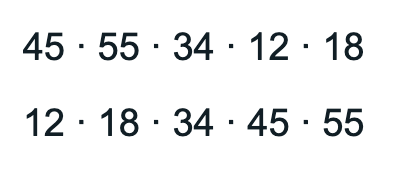
For instance, when we use the sort() function to sort the values in this small vector, it will sort the values in ascending order (smallest to largest) by default, like so:
# Create a vector called 'myvector' and print it out
myvector <- c(45, 55, 34, 12, 18)
myvector
# Sort the values
sort(myvector)
Example output:
Example 2:
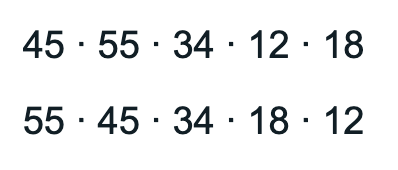
You can add the argument decreasing = TRUE to sort the vector in decreasing order.
# Create a vector called 'myvector' and print it out
myvector <- c(45, 55, 34, 12, 18)
myvector
# Sort the values in decreasing order
sort(myvector, decreasing = TRUE)
Example output:
Example 3:
Example 3:
You can use sort() with a data frame, however, it will only sort that column (unlike arrange(), which will sort the whole data frame).
# Sort the column of Thumb lengths in the Fingers data frame
# Use head() to only view the first 6 values
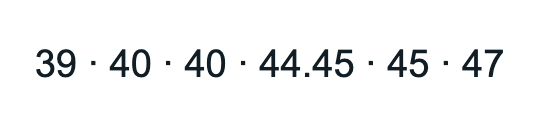
head(sort(Fingers$Thumb))
Example output: